Badge or QR
Every worker has a personal badge. They scan it at the entrance or check in from the app on their phone.
Clock in/out by badge or QR on a tablet at the entrance or from the phone, who's inside each factory right now, and hours per person ready for payroll.
No obligation — we reply within 1–2 working days.
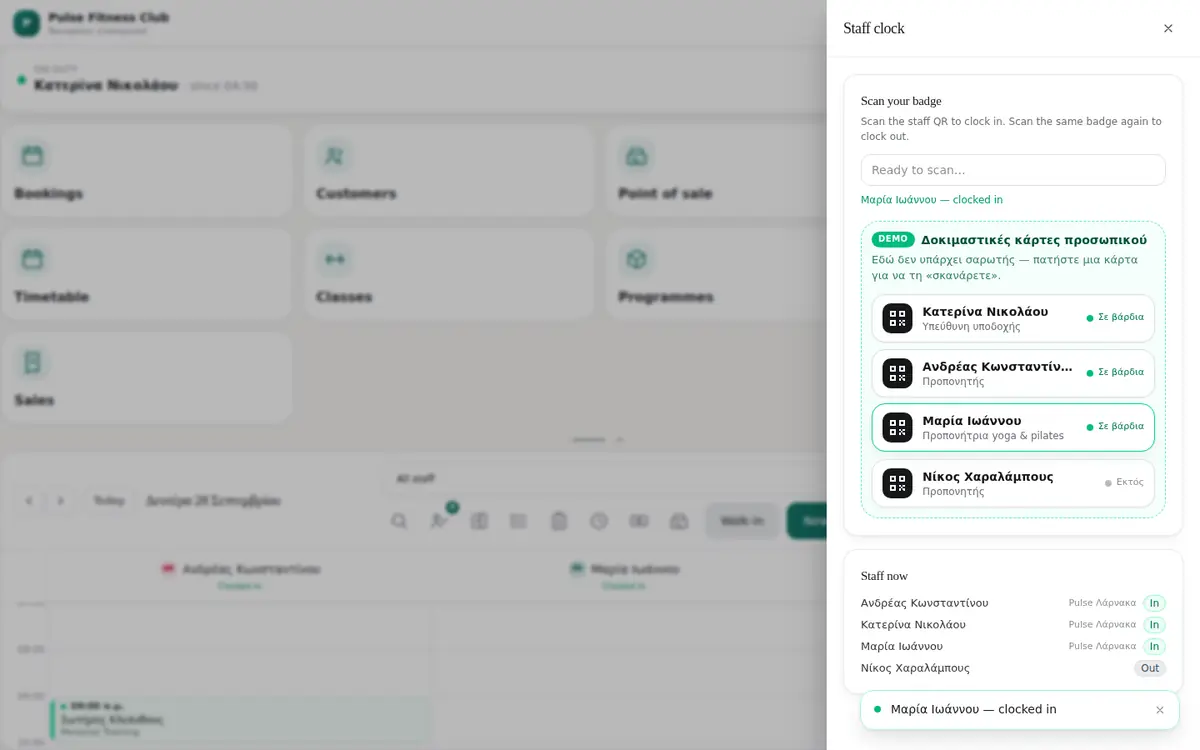
In a factory or warehouse, knowing who came in, when they left and how many hours they worked shouldn't cost you hours every month. With the WMA attendance system, every worker scans their badge on a tablet at the entrance — or the QR code with their phone — and the hours are recorded instantly.
If you have several factories or warehouses, you see who is inside each site right now, how many hours each person worked and at which factory, and what needs checking — for example someone who forgot to clock out. At the end of the month, you export the hours to Excel for payroll.
Simple for workers, complete for managers.
Every worker has a personal badge. They scan it at the entrance or check in from the app on their phone.
A tablet at each entrance becomes a clock-in station, connected with a simple code.
Factories, warehouses and entrances in one account, with hours per site.
A live view per factory: who is inside, since when and through which entrance.
Total hours, working days and every check-in and check-out for each worker, for any period.
Alerts for forgotten check-outs and very long stays, corrections by the manager and Excel export.
A short call or our form: what you do today by hand, in Excel or on paper, and what you want the system to show and do.
We send you what it will include, the cost and the timeline — no obligation and no small print.
We deliver in stages so you can try it early, train your team, and keep going with support and improvements.
Another question? Write to us and we'll answer the same day.
No. A regular Android tablet or iPad at the entrance is enough, or each worker's phone with the app. Badges are cards with a QR code.
Yes. Each site has its own entrances, and you see hours and attendance per factory or in total.
The record appears under "Needs a look", and the manager corrects it in one click before the hours go to payroll.
Yes. You export hours per person and detailed movements to Excel (CSV) for any period.
It depends on the number of workers, sites and entrances. We send a written proposal after a short call.

Tell us how many people and sites you have, and we'll send you a proposal.
Or email us directly — wmaassociates9@gmail.com